
Inside Freedom · iOS & Android
Stop Drinking Alcohol: Freedom features
Stop Drinking Alcohol: Freedom is an app from SK LABS Sp. z o.o. for iOS and Android. It helps adults track their drinking as they quit, cut back or take a break, with estimated savings, craving exercises, habit lessons, wellbeing records, a community forum and private mentor messaging.
See the tools in action, with real iOS screens and example progress.
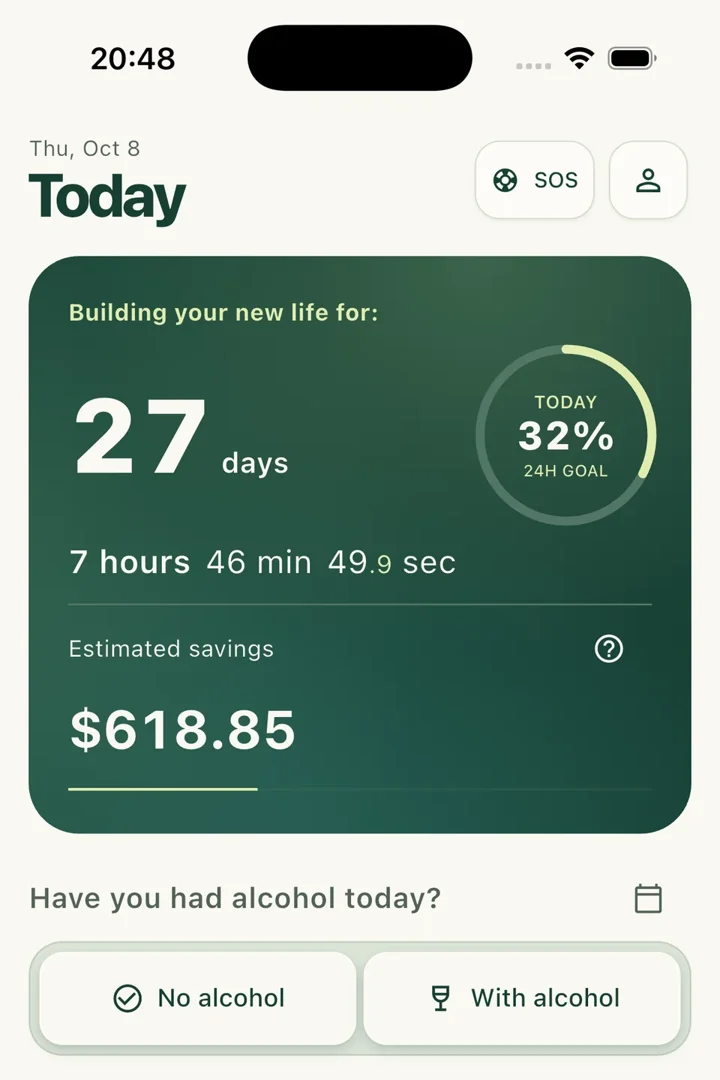
Sobriety tracking and estimated savings
See the time since your last drink, record alcohol-free days and follow your estimated savings.
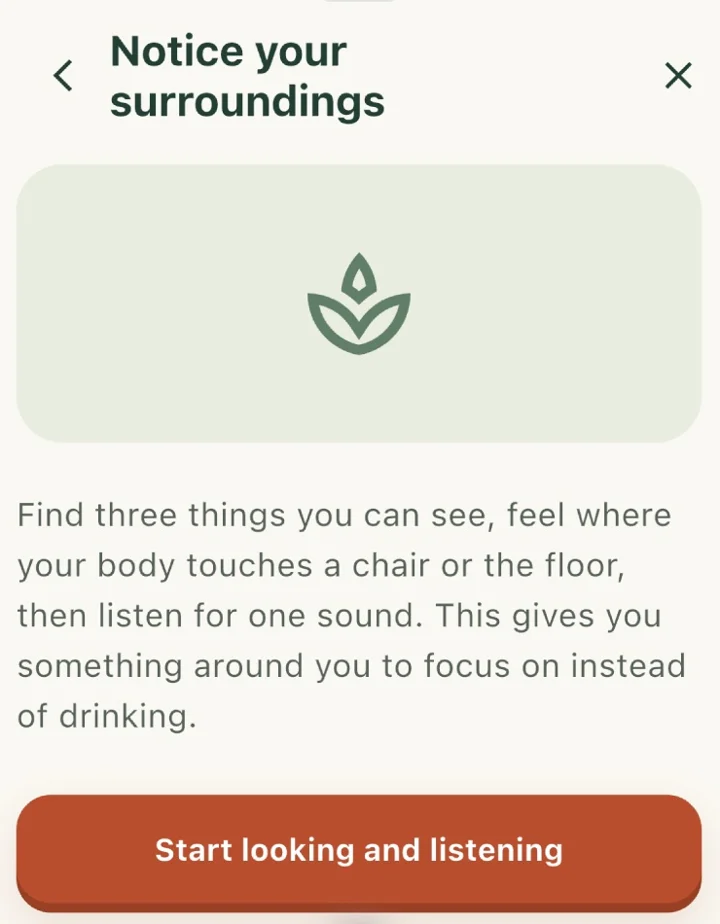
Keep an honest record
Review your monthly calendar and correct or undo an entry whenever you need to.
See what you could save
Use your weekly drinking baseline to track estimates, explore savings history and set a financial goal.
How it works
Record alcohol-free days, check the time since your last drink and review your progress. Use the calendar and savings history to see what you have recorded, then open the detailed feature pages below to explore each tool.
Track the time since your last drink and record days with or without alcohol. The monthly calendar lets you review, edit and undo entries.
Build your personal spending baseline from weekly drink quantities and reference prices for your selected country. Each recorded alcohol-free day adds one-seventh of that weekly baseline to estimated savings; a day with alcohol adds zero. Quit and break goals can also estimate savings from the declared alcohol-free start, with elapsed-time estimates shown separately from recorded days.
Update your drink quantities when your baseline changes without recalculating earlier history. View savings history, set a financial goal and see a forecast that explicitly assumes no future alcohol spending.
Track your days
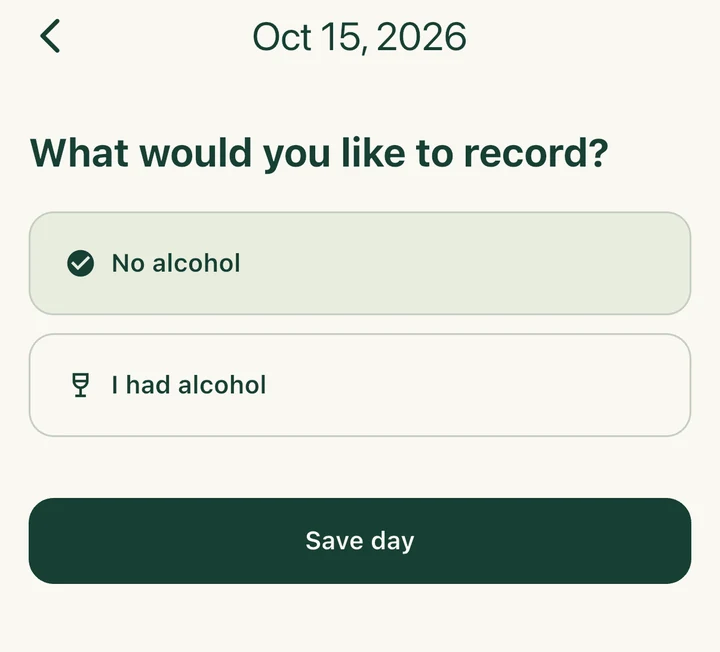
Interactive craving exercises
Open Support and pick a short, interactive exercise to focus on before deciding what to do next.
Gentle breathing
Follow the breathing circle at a comfortable pace, without forcing or holding your breath.
Grounding
Notice three things you see, two points of contact with a surface and one sound.
Wave Surfer
Hold your thumb on the wave to run the timer; lift it to pause.
Cool your cheeks
Rest a cool, damp cloth lightly on your cheeks. Keep your nose and mouth uncovered; do not use direct ice.
Choose a next action
After an exercise, choose what to do next or copy a prepared message to someone you trust.
More ways to focus
Also try number concentration, gentle movement, hand tension and release, a familiar taste or gentle touch around the ear.
Follow the on-screen safety instructions and stop if you feel unwell. These exercises do not treat alcohol withdrawal.
How it works
Open Support during an urge and select an interactive exercise. Each tool gives you a specific action to perform before deciding what to do next.
- Guided breathing: follow the timed breathing cues and pause or resume the exercise.
- Grounding: identify three things you see, two points where your body touches a surface and one sound.
- Focus exercises: play a number concentration game or hold the on-screen wave in Wave Surfer.
- Physical and sensory exercises: follow instructions for a cool compress, gentle movement, hand tension and release, a familiar taste or gentle touch around the ear.
- After the exercise: select a next action or copy a prepared message to someone you trust.
Handle an urge
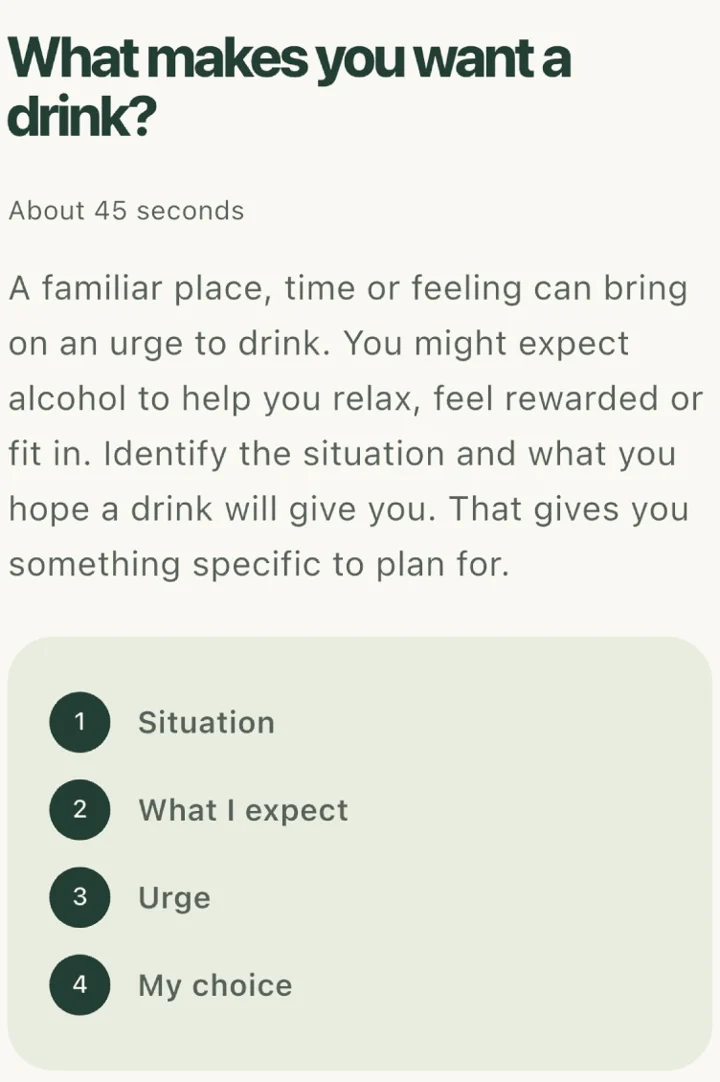
Habit lessons and private reflection
Explore a familiar drinking situation, notice an early trigger and consider a different response through short lessons and reflection.
Make the lesson personal
Choose answers about your own situation and revisit the summary created from those choices.
Keep a private note
Exercise answers and notes stay on your device. Lesson completion status syncs to your account.
How it works
Read short lessons about alcohol habits, answer structured reflection questions and write a personal note. Exercises use your selected answers to produce a summary you can revisit.
Exercise answers and notes stay on your device. Lesson completion status is synced to your account so the program can track completed lessons.
The first two lessons currently include complete learning material and reflection exercises.
Understand habits
Wellbeing records and health checkpoints
Record your wellbeing, revisit your own entries and explore time-based health checkpoints alongside your progress milestones.
See your own records
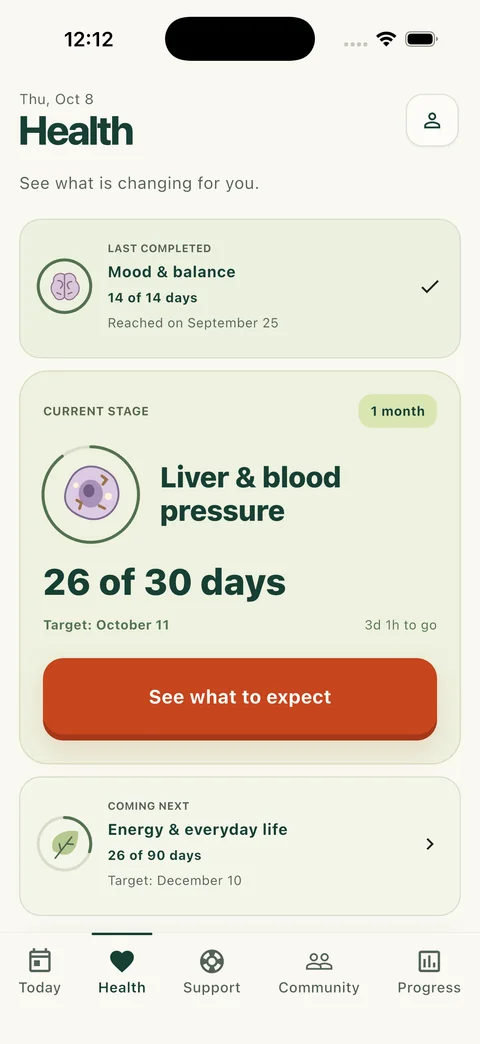
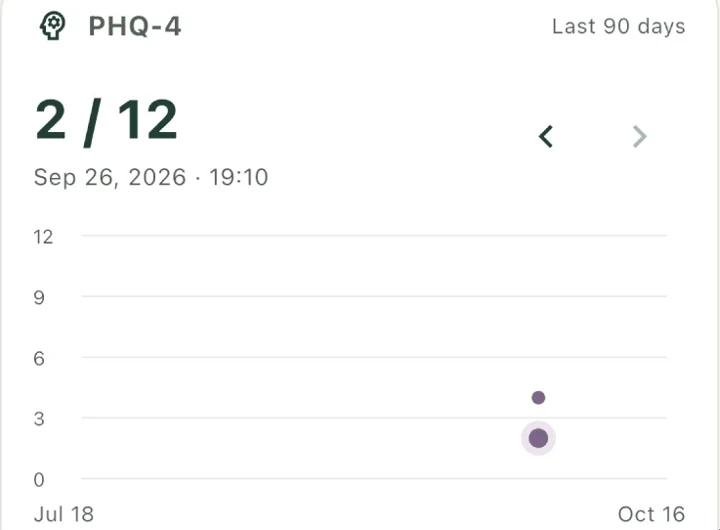
Review daily wellbeing over 14 days and saved four-question PHQ-4 results from the last 90 days.
Know what the numbers mean
Checkpoints measure time, not organ recovery. Charts show your entries; questionnaire results are not a diagnosis.
How it works
Record your daily wellbeing, review the 14-day chart and edit past entries. The four-question Patient Health Questionnaire (PHQ-4) asks about anxiety and low mood over the past two weeks. You can review your saved questionnaire results from the last 90 days.
Health checkpoints show when to review a topic based on the time since your last drink. Progress milestones and badges track alcohol-free records, health checkpoint timing, estimated savings and completed missions.
Charts show your own entries and questionnaire results. Checkpoints do not measure organ recovery, and PHQ-4 results are not a medical diagnosis.
Check in with yourself
Community and private mentor messaging
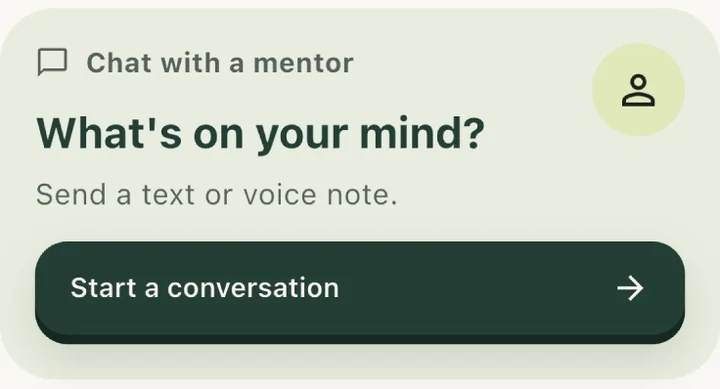
Join member discussions or send a private text or voice message to a human mentor through your account.
Choose how you take part
Comment, react and save threads. Use a nickname or post anonymously to other members; the account link stays on the backend.
A separate private conversation
Preview a voice note and choose whether to share your goal and program progress. Authorized support staff can access mentor messages.
Replies depend on staff availability, with no guaranteed response time. Mentor chat is not an emergency service; additional services may have separate fees.
How it works
Read member posts, write comments, react to discussions and save threads. Choose a nickname or post anonymously to other members. Community also includes reporting, hiding posts and blocking users; anonymous posts remain linked to an account on the backend.
Send a private text or voice message to a human mentor through your account. Record and preview a voice note before sending it, view conversation history and choose whether to include your current goal and program progress.
Mentor messages are separate from the community feed and can be reviewed by authorized support staff. Replies depend on staff availability; no response time is guaranteed. Additional mentor or therapist services may have separate fees and availability.
Find support
The details, in one place
Features, availability and privacy
Compare the main functions and where their data is stored. Local lesson notes and private account records have different storage and access rules.
| Feature / Category | What the app provides | Data & Privacy Level |
|---|---|---|
| Sobriety Tracking | Time since last drink, alcohol-free day records and an editable monthly calendar. | Progress records are linked to your account and stored on the backend. |
| Savings Calculator | A personal weekly spending baseline, estimated savings, savings history, financial goals and forecasts. | Baselines, daily alcohol records and goals are stored with your account; estimates are not bank transactions. |
| Craving Tools | Guided breathing, grounding, number focus, Wave Surfer and physical or sensory exercises. | Tool completion counts are stored on the device for your account. |
| Habit Education / On-Device Notes | Short lessons, structured reflection exercises and personal notes. | Exercise answers and notes stay on the device; completion status is synced to your account. |
| Health Checkpoints | Time-based review checkpoints, daily wellbeing charts and PHQ-4 results. | Personal health records are stored with your account; results are not a diagnosis. |
| Community & Private Support | A community forum plus private text and voice messages to human mentors; replies depend on availability. | Forum posts are visible to members. Private mentor messages are account-linked and accessible to authorized support staff. |
| Platform Availability | iOS and Android. Download through the App Store or Google Play. | The app uses both on-device storage and backend account storage. |
Platform Availability & Membership
Download the app for iOS or Android using the App Store and Google Play links on our download page. The screenshots on this page show the actual iOS app with example progress.
Membership provides access to the main app features. Subscription terms and any trial eligibility are shown at checkout before purchase.
A few useful answers
App features FAQ
Looking for help with your account or a purchase?
Visit the Help Center ↗What core features are included?
The app includes a sobriety counter, an editable alcohol calendar, estimated financial savings, interactive craving exercises, habit lessons, health checkpoints, wellbeing records, a community forum and private mentor messaging.
How are savings from quitting alcohol calculated?
The app uses your weekly drink quantities and country-specific reference prices to estimate a spending baseline. Each recorded alcohol-free day adds one-seventh of that baseline to savings; a day with alcohol adds zero. Quit and break goals can also estimate savings from the declared alcohol-free start until a recorded alcohol day ends that assumption. Editing drink quantities applies a new baseline going forward; changing your country recalculates baselines using that market’s prices and currency.
What tools can I use during a sudden alcohol craving?
The app provides guided breathing, a grounding sequence, a number concentration game, Wave Surfer and five physical or sensory exercises. Follow the on-screen instructions, pause timed activities when needed and choose a next action afterward. These tools do not treat alcohol withdrawal.
Can I get 1-on-1 support from a human mentor?
Yes. The app includes private text and voice messaging with human mentors, handled by authorized support staff. You can preview a recording and choose whether to attach your goal and program progress. Replies depend on staff availability and have no guaranteed response time; additional services may have separate fees.
How are my privacy and personal notes protected?
Lesson exercise answers and notes stay on your device; completion status is synced to your account. Progress, health records, community activity and mentor messages use backend account storage. Private mentor conversations are accessible to authorized support staff. Posting anonymously in the community hides your profile from other members, but the backend retains the account link.
Can I use the app to reduce drinking instead of stopping completely?
Yes. The app supports reducing alcohol intake, quitting and taking a break. Record days with and without alcohol, correct calendar entries and review estimated savings from your personal baseline and alcohol-free days.
Which platforms is the app available on?
The app is built for iOS and Android. Use the App Store or Google Play links on our download page to get the app.
Can the app replace medical alcohol detox or addiction therapy?
No. The app provides tracking, educational exercises, wellbeing records and support messaging. It does not diagnose conditions, manage alcohol withdrawal or replace medical detox or addiction therapy. Mentor chat is not monitored continuously and is not an emergency service.
About the app
Stop Drinking Alcohol: Freedom is a mobile application from SK LABS Sp. z o.o. for iOS and Android, designed to help adults quit or reduce alcohol consumption. Its core capabilities are sober day counting, a financial savings calculator, interactive craving response tools, habit education, health checkpoints, a community forum and 1-on-1 private text and voice messaging with human mentors. Lesson exercise answers and notes are stored on the device; account progress, health records, community activity and mentor messages use backend storage. Mentor replies depend on staff availability.
Sources & further reading
Patient Health Questionnaire-4 (PHQ-4): source questionnaire ↗International Network for Orofacial Pain and Related Disorders Methodology, University at Buffalo · Checked 2026-10-16
Evidence and sources ↗FREEDOM FOR iOS & ANDROID
Track your days. See your savings.
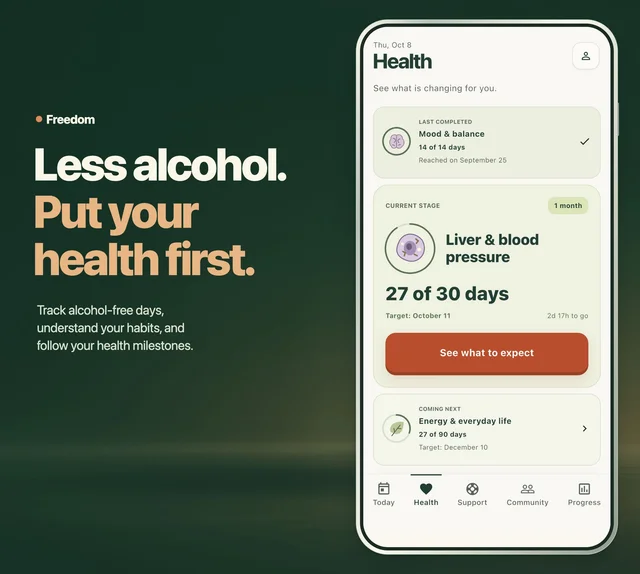
Keep your alcohol-free days and estimated savings in sight. Open practical tools for cravings and learn from other people’s experiences in Freedom app.
Tracking, practical tools and support
Track alcohol-free days and estimated savings, practice a response to cravings, work through habit lessons and record your wellbeing. Community discussions and private mentor messaging bring support into the same app.